
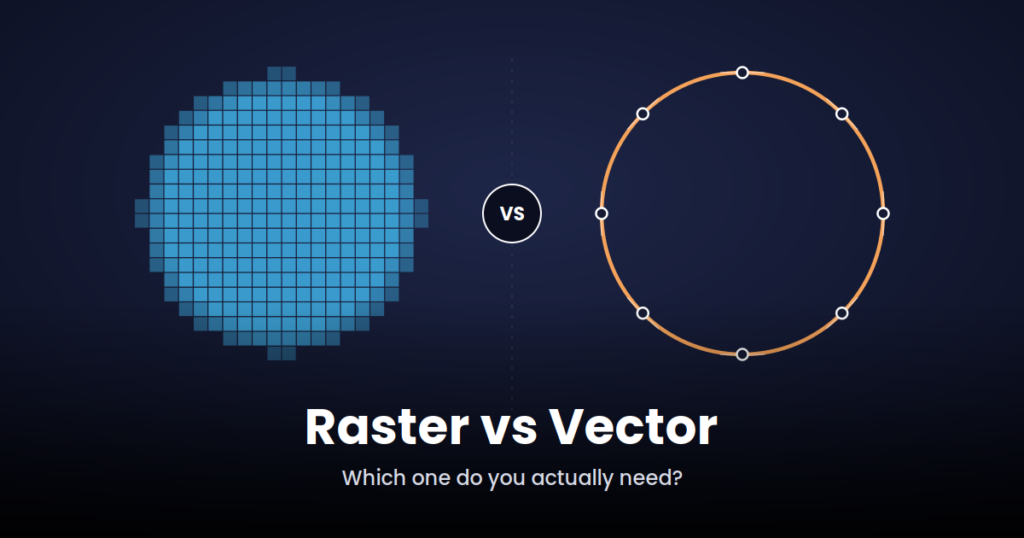
Have you ever zoomed into a logo and watched it turn blurry and pixelated? Or maybe you sent a JPG file for printing and it came back looking fuzzy, soft, or just “off”?
This happens because of one simple thing: the type of image you’re using.
There are two main types of digital images, raster and vector. On a screen, they can look almost the same at first glance. But the way they’re built is completely different, and that difference matters once you try to print, resize, or reuse the artwork.
Knowing which one you have, and which one you actually need, can save you a lot of time and back and forth, especially if you’re working on logos, branding, apparel, signage, or embroidery.
In this guide, we’ll explain both in plain language, with examples you’ll actually recognize.
What Is a Raster Image?
A raster image is made up of tiny dots called pixels. Think of it like a mosaic made from thousands of small colored squares. If you zoom in close enough, you can actually see these squares.
That’s why raster images look sharp at their original size, but blurry or pixelated once you try to make them bigger.
Common raster file formats:
- JPG
- PNG
- GIF
- BMP
Where raster images are commonly used:
- Photos (from your phone or camera)
- Social media posts
- Website images
- Screenshots
Raster works well for photographs because photos naturally have a lot of detail, texture, and color variation, and pixels are good at capturing that. Every photo you’ve ever taken on your phone is a raster image.
The trouble starts when you try to make a raster image much bigger than its original size. Since it’s only made of a fixed number of pixels, stretching it means the computer has to guess and stretch those same pixels wider. That’s what causes the blurry, blocky look you’ve probably seen on old or low-resolution logos.
A simple way to picture it: imagine a photo made of thousands of tiny colored tiles glued together. It looks smooth from a normal distance. But if you stretch that same tile board to twice its size, the tiles get bigger too, and you can suddenly see every square.
What Is a Vector Image?
A vector image works differently. Instead of pixels, it’s made using lines, points, and curves, a bit like a connect the dots drawing, but drawn with math instead of guesswork. That’s what lets the lines stay perfectly clean no matter how big or small you make them.
A vector image can be shrunk down for a business card or blown up for a billboard, and it will still look sharp.
Common vector file formats:
- AI (Adobe Illustrator)
- EPS
- SVG
Where vector images are commonly used:
- Logos
- Branding materials
- T-shirt and apparel designs
- Signs and banners
- Embroidery source artwork
Because a vector image is built with math instead of a fixed grid of pixels, size doesn’t really matter. Shrink it for a business card or scale it up for a storefront sign, the lines, curves, and colors stay just as sharp. Nothing gets stretched. The shape is simply redrawn cleanly at whatever size you need.
If you’re building a brand, you’ll likely need your logo in vector format at some point, especially once it needs to be printed large, placed on a product, or sent to an embroidery machine.
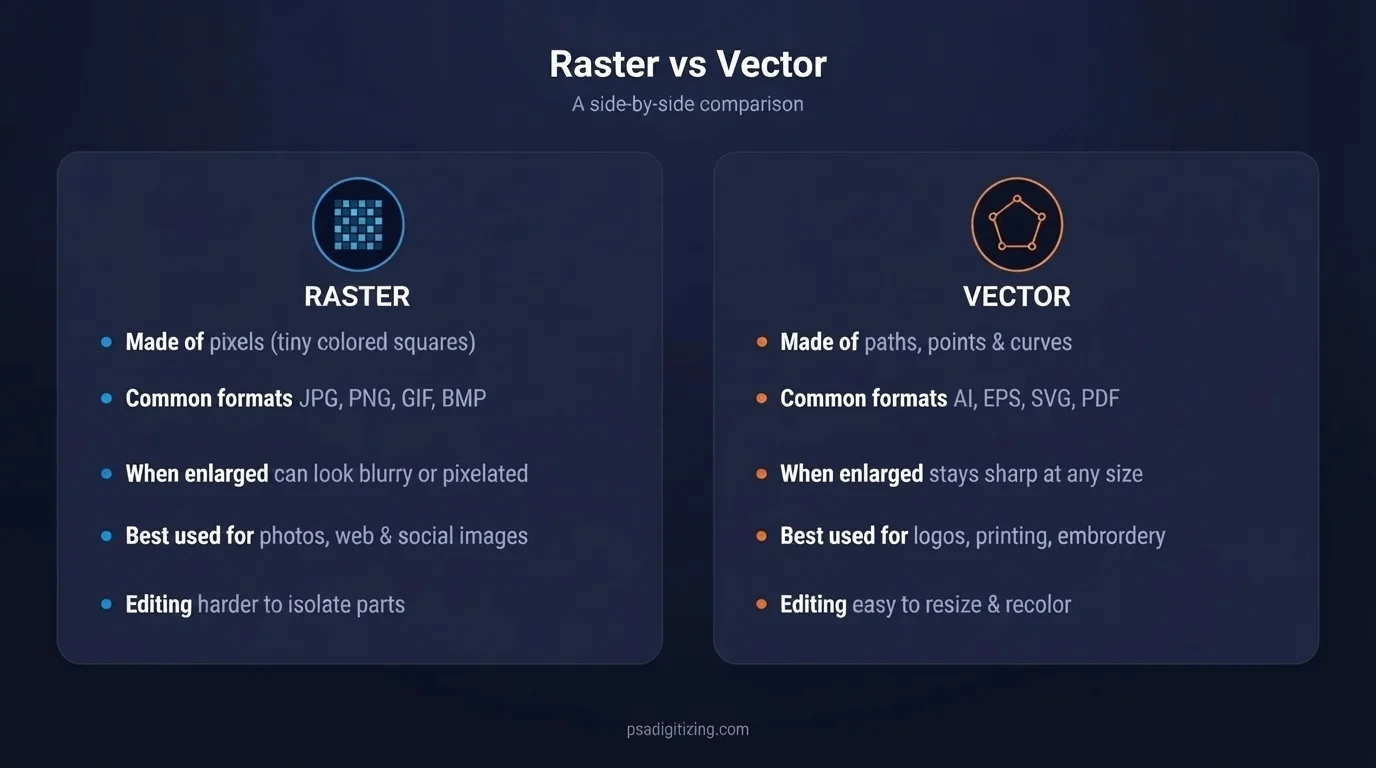
Raster vs Vector – Quick Comparison
| Raster Image | Vector Image |
|---|---|
| Made of pixels | Made of lines and curves |
| Can look blurry when resized bigger | Stays sharp at any size |
| Common formats: JPG, PNG, GIF | Common formats: AI, EPS, SVG, PDF |
| Best for photos | Best for logos, printing, and branding |
| Harder to edit individual parts | Easy to edit, recolor, and resize |
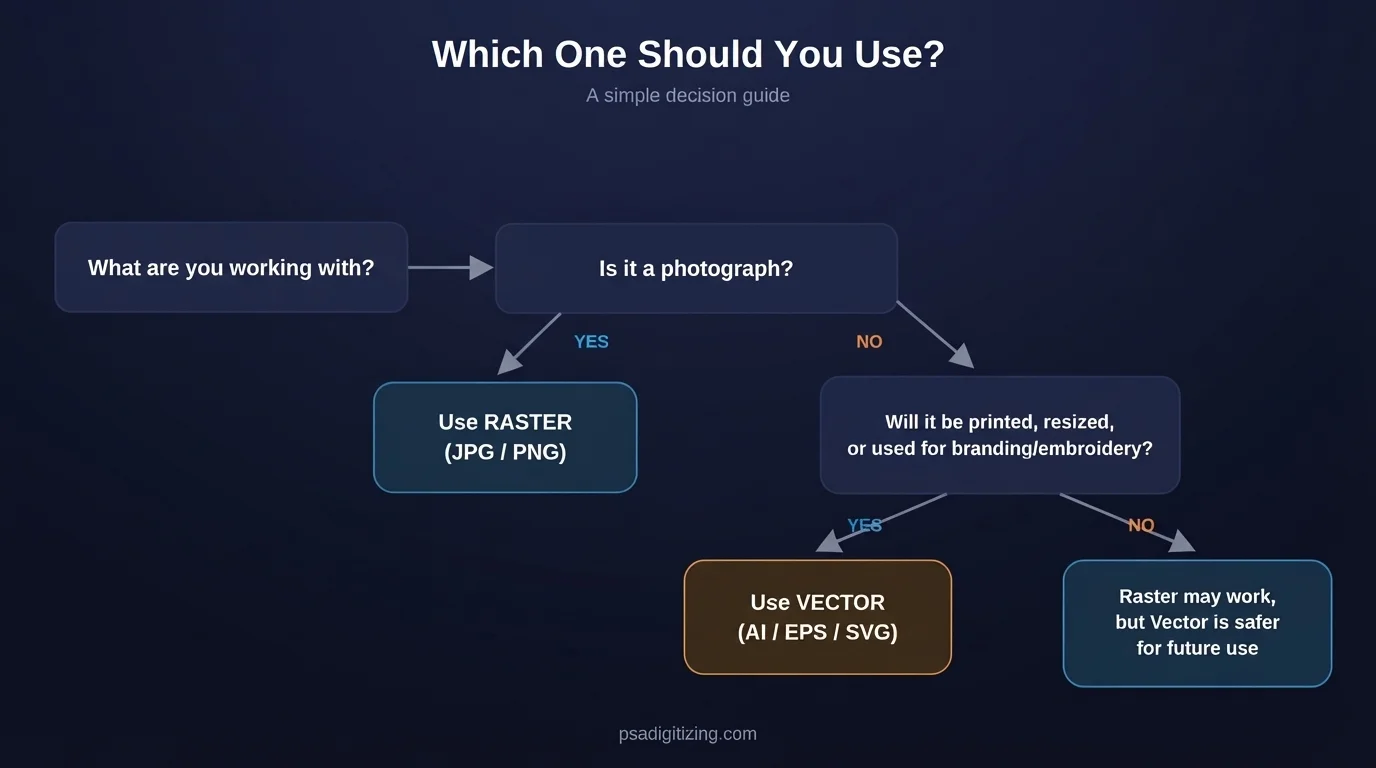
When Should You Use Raster, and When Should You Use Vector?
A simple way to think about it:
Use raster if:
- You’re working with a photograph
- The image is for a website or social media post
- You don’t need to resize it much bigger
Use vector if:
- You need a logo
- The design will be printed on shirts, signs, or products
- You need the same design in multiple sizes
- The artwork will be used for embroidery
A good rule of thumb: if the image is meant to be looked at, like a photo, raster is usually fine. If the image is meant to be reproduced, printed, stitched, or resized again and again, vector is almost always the safer choice.
A Real-World Example
Say a small business owner has a logo that was designed years ago. The only file they have left is a small JPG pulled from an old business card or downloaded off their own website.
That JPG might look fine on a screen. But the moment they try to:
- Print it large on a storefront sign
- Put it on a t-shirt
- Send it to an embroidery machine for a cap or jacket
it suddenly looks rough, blurry, or full of jagged edges. This isn’t a mistake by the printer or the embroidery machine. It’s simply because a raster file was never built to scale up that much in the first place.
This is one of the most common reasons businesses end up needing vector conversion.
Why You Might Need to Convert Raster to Vector
Here’s a common situation: you have a logo, but it only exists as a small, blurry JPG or PNG file. Maybe it was saved from an old email, a website, or a screenshot, and the original design file was lost a long time ago.
That kind of file can’t just be “made bigger” without losing quality. Try it, and it comes out pixelated and unprofessional, not something you want on a business card, storefront sign, or embroidered cap.
This is where vector conversion helps. Instead of stretching the existing pixels, a designer manually retraces your logo using clean lines, shapes, and curves, rebuilding it so it stays sharp and scalable at any size, for good.
Once your logo exists as a vector file, the blurry logo problem is gone for good. The same file can be resized for a business card today and a billboard next year without losing any quality.
If your current logo is low quality or you don’t have a vector version anymore, our vector conversion services can turn it into clean, production ready artwork in formats like AI, EPS, SVG, or PDF, usually within 12 to 24 hours.
Get clean, scalable artwork ready for printing, branding, or embroidery — in as little as 12–24 hours.
Frequently Asked Questions
What is the main difference between raster and vector images?
Raster images are built from pixels, so they can lose sharpness when resized larger. Vector images use mathematical paths and curves, which means they stay sharp and clean at any size — from a business card to a large banner.
Can a JPG or PNG be converted into a vector file?
Yes. Raster formats like JPG and PNG can be recreated as vector artwork through manual tracing rather than simply increasing resolution, which keeps edges clean and the design fully scalable.
Which format should I use for printing or embroidery — raster or vector?
Vector is generally the better choice for printing, signage, apparel, and embroidery source artwork, since it holds clean lines and colors at large sizes. Raster works well for photographs and web images where extreme scaling isn’t needed.
How do I know if my logo needs to be converted to vector?
If your logo only exists as a blurry, pixelated, or low-resolution image file, it likely needs vector conversion before it can be used for professional printing, branding, or large-format production.