Buying your first embroidery machine can feel overwhelming. There are many types to choose from, different hoop sizes, and you also need to make sure the software works with your computer. Because of this, people often end up either paying extra for features they don’t even use, or buying a machine that’s too basic and can’t grow with them later. There’s no one “best” machine for everyone — it depends on your budget, what kind of projects you want to make, and whether you’re just doing this as a hobby or planning to turn it into a business. In this guide, we’ll cover the simple things you should check before buying, so you can make the right choice instead of guessing.
What Is an Embroidery Machine?
An embroidery machine is a computerized sewing machine designed to stitch pre-programmed designs onto fabric using a hoop to hold the material in place. Unlike a regular sewing machine, it reads digital stitch files (like DST or PES) and moves the fabric automatically to recreate the design, stitch by stitch. Some machines are built purely for embroidery, while others combine embroidery with standard sewing functions in one unit.
Types of Embroidery Machines for Beginners
Single-Function Embroidery Machines
These are dedicated embroidery machines with no regular sewing capability. Brands like Brother, Janome, and Baby Lock all make dedicated models at different price points. They’re generally easier to learn since there’s only one function to master, and they tend to have larger hoop areas and faster stitching speeds than combo machines at a similar price point. This is usually the better choice if embroidery is your main focus rather than a side skill.
Embroidery Machine and Sewing Machine Combos
An embroidery sewing machine combo does both jobs in one unit — useful if you’re just starting out and don’t want to invest in two separate machines right away. Brands such as Brother, Bernette, and Baby Lock offer popular beginner combo models. These are popular with beginners for exactly that reason: lower upfront cost and one machine to learn instead of two. The trade-off is usually a smaller embroidery hoop area and slightly slower stitching speed compared to dedicated embroidery machines, so it’s worth checking hoop dimensions against the type of projects you want to make.
Buying Guide: What to Look For
Key Features to Check
- Hoop size – Determines the maximum design size you can stitch in one pass. Larger hoops cost more but reduce the need to reposition fabric for bigger designs.
- File format support – Most machines read DST or PES natively, so confirm which formats yours accepts before buying digitized designs.
- Built-in designs vs. custom files – Entry-level models often come with built-in designs, but you’ll eventually want one that accepts custom digitized files for your own logos or artwork.
- Software ease-of-use – Some models require separate software to edit or resize designs; check what’s included versus what you’d need separately.
- Stitching speed – Beginner models typically run slower than industrial or multi-needle machines. That’s not a downside for learning, but it matters if you plan to scale up later.
- Price – Basic combo units start in the low hundreds, with dedicated machines and larger hoops costing significantly more.
Most beginners don’t need the largest hoop or fastest option on the market right away. It’s more practical to start with something that covers the basics and matches your actual projects — small logos and patches don’t need the same setup as full jacket-back designs.
Choosing Based on Your Use Case
- Stitching occasionally as a hobby — a combo unit is usually the most practical choice. Lower cost, one machine to learn, enough capability for patches, apparel, and simple logos.
- Taking on client orders or running a home-based business — a dedicated single-function model with a larger hoop is generally the better long-term investment, since it stitches faster and handles bigger designs without repositioning.
- Planning to include caps or hats — confirm cap-hoop compatibility before buying, regardless of which type you choose, since not every entry-level model supports it out of the box.
Matching the machine to your actual use case, rather than price alone or the most-reviewed option online, saves the most money and frustration in the long run.
Embroidery Machines for Caps and Hats
If you plan to stitch caps or hats, not every beginner machine is set up for it out of the box. A hat embroidery machine setup usually requires a separate cap hoop or frame attachment, since the curved surface of a cap doesn’t sit in a standard flat hoop. This is worth checking before you buy if caps are part of your plan — some entry-level combo machines don’t support a cap hoop attachment at all. Once you’re stitching caps, the file itself also needs to be digitized specifically for that curved surface — we cover exactly what that involves in our cap embroidery digitizing guide.
Common Beginner Mistakes
- Buying a machine that’s too advanced too soon — paying for a large hoop and industrial-speed features before you know what you’ll actually use
- Ignoring file format compatibility — buying or downloading designs in a format your machine can’t read
- Skipping the hoop size check — ending up unable to stitch the design sizes you actually want to make
- Assuming all machines support cap hoops — then finding out later that hat embroidery needs a separate attachment
- Underestimating the learning curve of the software — some embroidery machines rely on companion software for resizing or combining designs, which can be a bigger adjustment than the stitching itself
Most of these mistakes come down to buying based on price or marketing rather than the actual type of embroidery work you plan to do. Spending a few extra minutes checking hoop size, format support, and cap-hoop compatibility before buying can save a lot of frustration later.
Embroidery Machine Types at a Glance
| Machine Type | Best For | Typical Hoop Size | Learning Curve |
|---|---|---|---|
| Single-Function Embroidery Machine | Dedicated embroidery work | Larger | Moderate |
| Embroidery & Sewing Combo | Beginners wanting both functions | Smaller | Easier |
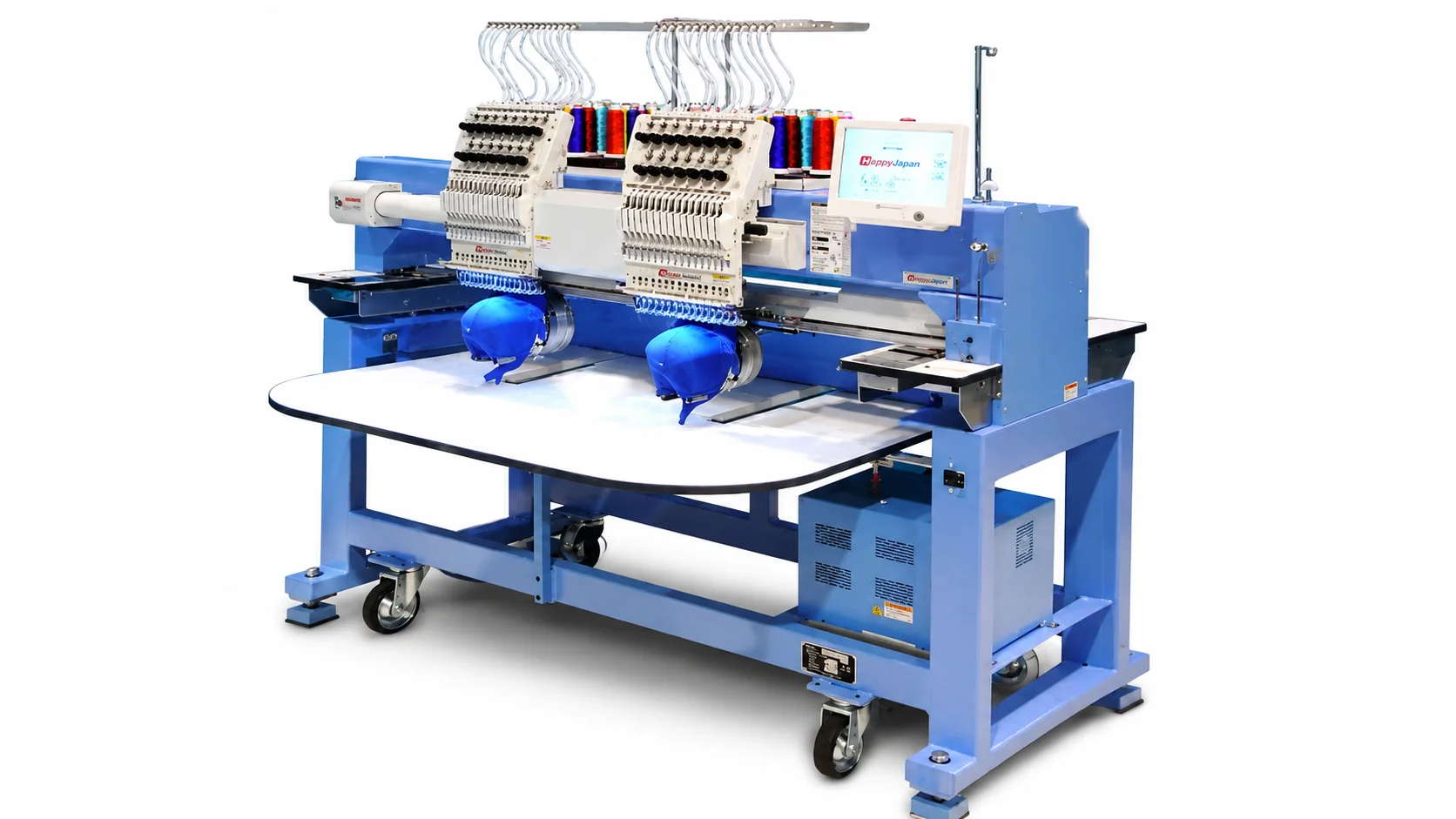
| Multi-Needle Embroidery Machine | Higher-volume or business use | Largest | Steeper |
Once You Have Your Machine — What’s Next?
Buying the machine is only half the process. To stitch a logo, design, or artwork, you’ll need a digitized stitch file in your machine’s format — the machine itself doesn’t convert artwork into embroidery on its own. This is where most beginners run into their next question: how to turn a logo or image into a file the machine can actually read.
If you already have artwork you want to stitch, our embroidery digitizing services turn your logo into a stitch-ready file in minutes in your machine’s format — DST, PES, JEF, or EXP — so you can go straight from design to stitch-out without troubleshooting compatibility issues.
Where We Fit In
We’re not a machine retailer — PSA Digitizing is a digitizing service that prepares the stitch files your machine actually runs. Over 13+ years working with embroidery shops and beginners alike across the USA, one of the most common questions we get from people setting up a new machine is simply which file format it needs and how to get a logo turned into something stitchable. If you’re weighing machine options and want to see what finished digitized work looks like before you buy, our portfolio has real examples across caps, logos, and apparel.
Conclusion
Choosing your first embroidery machine comes down to matching the machine to what you actually plan to stitch — a combo machine if you’re starting and want one unit for both sewing and embroidery, or a dedicated embroidery machine if stitching is your main focus. Pay attention to hoop size, file format support, and whether cap attachments are supported, since these are the details first-time buyers most often overlook. Once your machine is set up, the next step is getting your designs into a compatible stitch file — something we can help with directly.
FAQ
What’s the best embroidery machine for a beginner? For most beginners, a combo embroidery and sewing machine offers the easiest entry point, since it’s usually simpler to learn and lower cost than a dedicated embroidery machine. If embroidery is your main focus, a single-function machine with a larger hoop is usually a better long-term choice.
Can a sewing machine also do embroidery? Only if it’s specifically an embroidery-and-sewing combo machine. A standard sewing machine without embroidery functionality cannot stitch digitized designs on its own.
Do I need a separate machine for cap embroidery? Not necessarily a separate machine, but you will usually need a separate cap hoop or frame attachment, since caps don’t fit in a standard flat hoop.
What file formats do embroidery machines use? Most machines use DST or PES, though some brands use JEF, EXP, or other proprietary formats. Always check your machine’s manual, or a reference like Wilcom’s format guide, to confirm which format it accepts.
Do beginner machines come with built-in designs? Many do, but built-in designs are limited to what’s pre-loaded. For custom logos or artwork, you’ll need a digitized file made specifically for your design.