Using AI artwork for embroidery is something customers ask us about all the time. Someone generates a logo in Midjourney or ChatGPT, loves how sharp it looks on screen, and wants it stitched on a cap by the end of the week.
So can it be done? Usually, yes. But almost never straight out of the generator. The image has to be cleaned up, simplified and rebuilt as stitches first, and a few details will not survive the trip from pixels to thread. That is not a flaw in your design. It is just how thread behaves.
The gap shows up fast. The eagle looks perfect on a monitor, then the first test stitch comes back muddy, the lettering is unreadable and the stitch count is far higher than anyone expected.
In this guide we cover why AI images need changes, which designs convert well, how to prompt for embroidery-friendly results, and what to send a digitizer so the first sew-out comes out right.
Why does my stitched design look different from the AI image?
An AI generator makes pixels. An embroidery machine needs instructions: where to stitch, in which direction, with how much density, and in what order. None of that exists inside a PNG or JPG.
Turning the image into a stitch file is the job of embroidery digitizing. The digitizer decides the stitch types, the base stitches that hold everything in place (called underlay), how tightly the thread is packed, and how much to adjust for fabric pull. Then the file is exported as a machine file such as DST or PES. The AI image is only the reference.
So the real question is not whether AI art can be embroidered. It is how much of the design survives once it has to be built out of thread.
The mock-up trap
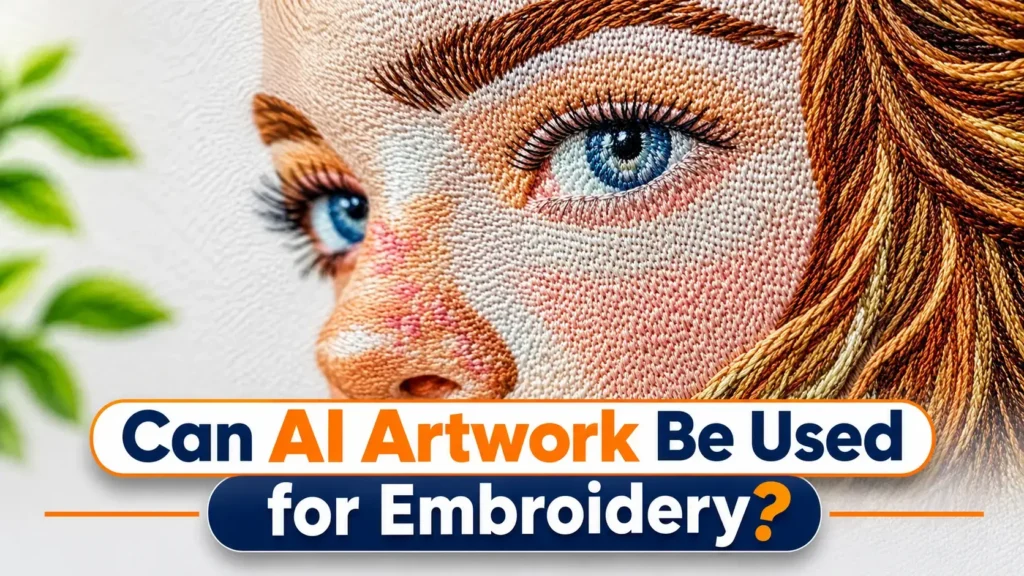
Watch out for fake stitches. Many AI tools love to draw the finished product: fake thread texture, soft shadows that imitate raised stitches, a bit of fabric wrinkle in the background.
It looks great, but a digitizer cannot stitch a picture of stitching. Everything painted into the image as a texture has to be removed or rebuilt as real shapes first. If you can, ask the AI for the flat design itself, not a photo of it on a hat.
What converts well, and what does not
| Usually works | Usually needs rework |
|---|---|
| Bold, flat-color illustrations | Photo-style portraits |
| Simple badges and brand marks | Soft gradients and glow effects |
| Clear outlines and strong contrast | Drop shadows and fine texture |
| Fewer than 6 to 8 colors | Dozens of similar shades |
| Large, clean lettering | Small or distorted text |
If your design sits in the left column, you are in good shape. If it sits in the right, expect some simplifying, and that is normal.
What to fix in an AI design before embroidery
Most problems come from three things: text, size and color count. Here is how to deal with each one.
Text is the first thing to break
AI tools still struggle with lettering. Letters come out warped, spelled slightly wrong, or merged into the background. Even when the text looks fine on screen, tiny letters fill in once they are stitched. As a rough rule, anything much below 5 mm in height gets hard to read in thread.
The safest fix is to remove the AI text and retype it in a clean font. Spell-check it too. A misspelled word on a box of 200 polos is an expensive lesson.
Check the design at its real size
A jacket back can carry a lot of detail. A left-chest logo or a cap front cannot. Caps, left-chest logos, polos and small patches usually sit somewhere between 2 and 4 inches wide, and the same image that looks sharp at 11 inches turns into a smudge at that size.
Before you send anything, print or preview the artwork at the actual stitch size. If a detail is hard to see on paper, it will not show up in thread either. Remove it or make it bigger.
Too many colors cost you
AI images often contain hundreds of subtle shades. A machine works with a handful of thread colors. Most multi-needle machines hold somewhere between 6 and 15, so every extra shade has to fit into that set. Every extra color means another color change, more trims and more chances for something to go wrong.
A good digitizer groups similar shades into a smaller palette and keeps the character of the design. If you know the design will be embroidered, asking the AI for "flat colors" and "no gradients" saves a lot of cleanup later.
How to prompt for embroidery-friendly artwork
You do not need special tricks. A few plain instructions help:
- Ask for a flat, vector-style design with solid colors.
- Ask for a clean white or transparent background.
- Ask for sharp edges and strong contrast.
- Leave out words like "photorealistic", "cinematic" and "8k". They add noise that thread cannot reproduce.
- Skip "embroidered" and "stitched" in the prompt, or you will get the mock-up trap described above.
- Generate the logo without text, then add the text yourself.
Step by step: from AI image to stitch file
- Pick the final size and placement first. Cap, left chest and jacket back each allow different detail.
- Clean the image. Remove backgrounds, shadows, fake texture and any AI text.
- Simplify the colors. Merge close shades and flatten gradients into a few clear steps.
- Convert to a clean vector if needed. Sharp paths give the digitizer clear shapes to work from. See our vector conversion service if you would rather not do this yourself.
- Digitize it. Stitch types, underlay and density are set for your fabric and garment.
- Run a test stitch. Sew it on scrap fabric before a full run, and adjust if needed.
If you want a checklist before sending files, our guide on how to prepare a logo for embroidery digitizing covers the basics.
Can you use AI-generated designs commercially?
Be careful here. The rules depend on the tool you used and its terms of service, and copyright law around AI-generated work is still unsettled. In the US, purely AI-generated images generally cannot be copyrighted, which means you may have little control if someone copies your design. Also avoid prompts that imitate a living artist or a known brand.
If the design is for a client or a brand you plan to sell, read the generator's terms and consider having a designer refine the artwork. This is general information, not legal advice.
AI tools or a human digitizer?
Auto-digitizing software can handle simple, bold shapes for a personal project. It struggles with small text, gradients and caps, where curved surfaces change how the design sits.
For client work, uniforms, caps, or any order you cannot afford to redo, a human digitizer is still the safer choice. A person can judge fabric, size and stitch direction in a way software still guesses at.
What to send us
At PSA Digitizing, we regularly work with AI-generated designs. For the fastest result, send:
- The original AI image (PNG or JPG, the largest version you have)
- The garment and placement: cap, left chest, jacket back or patch
- The finished size in inches
- Your machine's file format (DST, PES, JEF, EXP and others)
Standard orders are usually back within 4 to 12 hours, and revisions are unlimited until the file is right. Pricing for embroidery digitizing starts at $10. Not sure whether your design will work? Send it over on our request a quote page and we will tell you what needs changing before you pay for anything.
You can also read more about our embroidery digitizing services or how to choose a digitizing provider in the USA.
Frequently asked questions
Can AI-generated artwork be digitized for embroidery?
Yes. Most designs can be adapted, though gradients, tiny details and AI text usually need to be simplified or rebuilt first.
Do I need to convert AI art to vector first?
Not always, because many digitizers work straight from a clean high-resolution image. A vector version can help when the edges are rough or the image is low quality.
Why does my AI design look worse when stitched?
Thread cannot show the soft shading and tiny detail a screen can. The design has to be simplified to what thread can physically hold.
What image quality should I send?
The largest, sharpest version you have. Low-resolution or compressed images make it harder to see where one shape ends and another begins.
Can AI do the whole digitizing process by itself?
For simple, bold designs, sometimes. For logos with text, gradients or cap placements, human adjustment is usually still needed.
Is it safe to embroider AI designs and sell them?
It depends on the generator's terms and on what the design resembles. Check the terms and avoid copying existing brands or artists.